

TL;DR:
- Proper planning and early procurement of POS, safety, and display equipment are crucial for a smooth retail store opening. Thorough testing and phased implementation help avoid costly mistakes and operational delays. Financed equipment and detailed checklists ensure readiness, safety compliance, and customer satisfaction from day one.
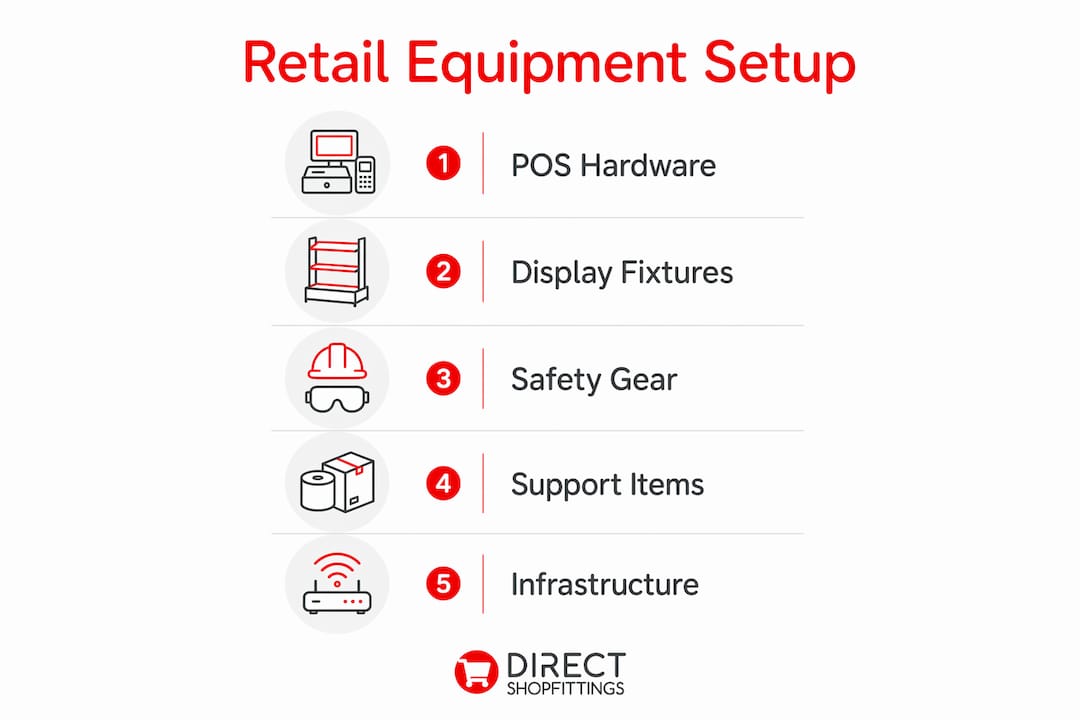
A retail store opening equipment guide is the practical roadmap that determines whether your shop opens smoothly or scrambles to fix avoidable problems on day one. Shopfitting, the recognised industry term for fitting out a retail space with fixtures, fittings, and operational hardware, covers everything from gondola shelving to point-of-sale terminals. Equipment and renovation costs can exceed £50,000 for a standard buildout, which means poor planning does not just cause stress. It costs real money. The four core categories you must address before opening are POS systems, display fixtures, safety equipment, and supporting retail infrastructure.
What essential retail equipment do you need for opening day?
Every new store owner needs a clear store setup checklist before a single product hits the shelf. The categories below cover what you need to open a retail shop that functions reliably from the first customer onwards.
Point-of-sale hardware
Your checkout area is the operational heart of the store. A complete POS setup includes a terminal or tablet, a receipt printer, a card reader, a cash drawer, and a barcode scanner. The Sam4s NR-510F is a dependable standalone cash register suited to smaller shops, while Shopify POS integrates hardware with cloud-based inventory management for stores that want real-time stock visibility. High-performance thermal printers, such as the HPRT POS80H, print at 200 mm per second and support up to one million cutter cycles. That level of durability matters when you are processing hundreds of transactions daily.
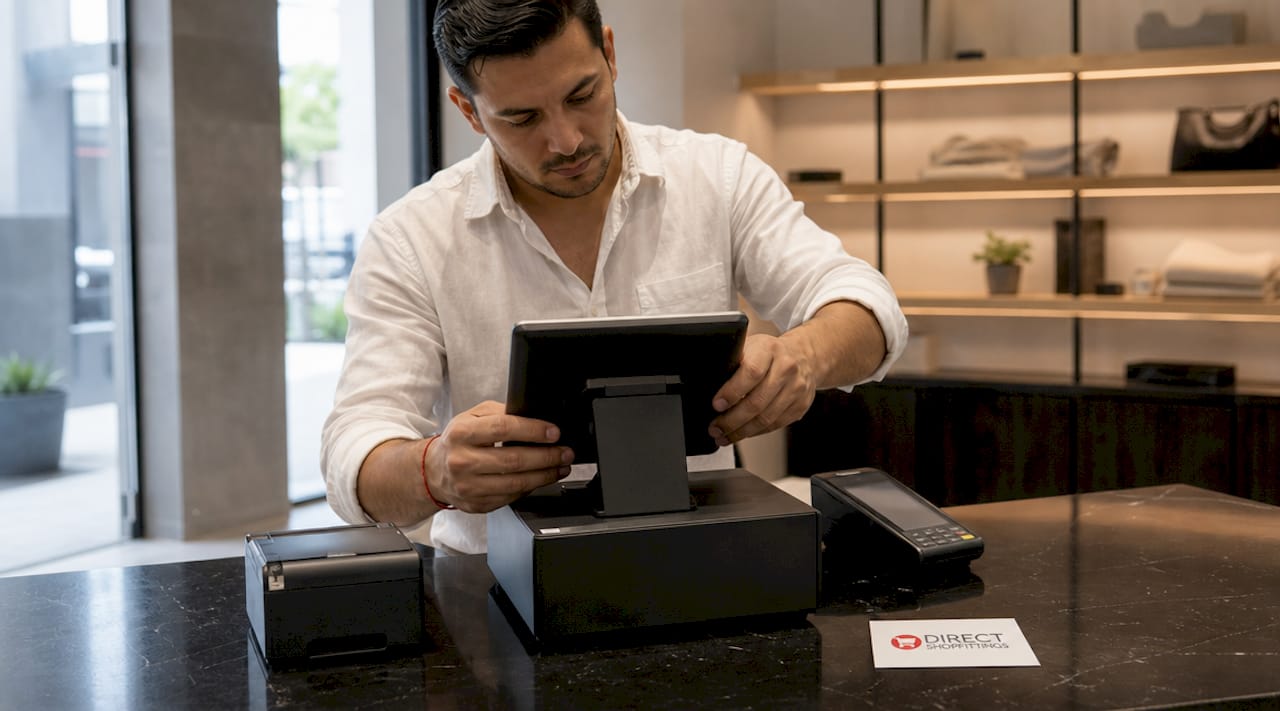
Pro Tip: Choose the same POS terminal model across all checkout points. Consistent POS models simplify staff training and reduce the complexity of technical support calls.
Display fixtures and shelving
Display fixtures shape how customers move through your store and how much they buy. The main categories are gondola shelving for central floor runs, wall-mounted shelving for perimeter displays, glass display cases for high-value items, clothing racks, and feature tables for promotional product. Understanding the full range of retail floor fixtures before you commit to a layout saves you from costly repositioning later. DirectShopfittings supplies modular shelving systems that scale from a single boutique bay to a full supermarket run, with competitive pricing that suits first-time owners working to a tight buildout budget.
Safety and security equipment
Safety equipment in retail covers fire extinguishers, smoke detectors, first aid kits, emergency lighting, CCTV cameras, and alarm systems. Each category serves a distinct function: fire safety, employee protection, and theft deterrence. Regulators and insurers expect these to be in place before you open, not retrofitted after your first inspection. Skipping this category early is one of the most expensive mistakes a new store owner can make.
Supporting retail infrastructure
Beyond the core hardware, your store needs shopping baskets or trolleys, clear signage and window displays, and customer seating where the format calls for it. These items shape the customer experience and affect how long shoppers stay. A well-signed store with accessible baskets consistently outperforms one where customers struggle to navigate or carry products.
| Equipment category | Key items | Priority level |
|---|---|---|
| POS hardware | Terminal, receipt printer, card reader, cash drawer, scanner | Critical before opening |
| Display fixtures | Gondola shelving, wall units, display cases, clothing racks | Critical before opening |
| Safety equipment | Fire extinguishers, CCTV, alarms, first aid kits | Legal requirement |
| Supporting infrastructure | Signage, baskets, window displays, seating | High, but phased |
How do you plan and procure equipment on time and on budget?
Procurement timing is where most first-time store owners lose ground. The planning steps below reflect best practices for store opening that experienced retailers follow consistently.
- Order POS hardware first. POS hardware requires ordering at least two to three weeks before your opening date to account for shipping and potential delays. This is the single item most likely to derail your launch if ordered late.
- Address safety compliance in week one of your buildout. Prioritising safety installation early avoids the expensive last-minute renovations that come from retrofitting fire suppression or emergency lighting after the fit-out is complete.
- Use a phased launch checklist. A phased approach to setup that sequences Foundation, Theme and Product, Testing, and Launch stages prevents the paralysis that comes from treating every task as equally urgent.
- Separate your financing streams. Separating buildout financing from working capital loans improves cash flow management and increases your approval prospects with lenders. Equipment financing typically uses the hardware itself as collateral, with repayment terms running from 24 to 72 months and interest rates between 6% and 18%. That structure preserves your working capital for stock, staffing, and marketing.
- Order spare peripherals alongside your main hardware. A backup card reader or receipt printer costs a fraction of the revenue lost during a hardware failure on a busy Saturday.
“Treat your store launch as a Go/Stop process with documented evidence at each phase. Retailers who review each stage with clear pass criteria open with far fewer operational surprises than those who push through regardless.”
Pro Tip: When requesting quotes from suppliers, ask specifically about lead times for your exact model. Generic delivery estimates often exclude custom configurations or out-of-stock components.
How do you set up and test retail equipment before opening?
Setup and testing is where preparation becomes performance. Follow these steps to verify that every piece of equipment works before your first customer arrives.
- Unpack and inspect all fixtures on delivery. Check gondola shelving components against the packing list and report damage immediately. Suppliers including DirectShopfittings offer rapid fulfilment, but replacement parts still take time if a claim is delayed.
- Assemble and position display fixtures according to your floor plan. Fix wall-mounted shelving to load-bearing points and confirm that gondola units are stable before loading stock. Repositioning heavy fixtures after merchandising is time-consuming and risks product damage.
- Connect and configure your POS system. Attach the receipt printer via USB or WiFi, pair the card reader, and connect the cash drawer to the printer’s kick port. Load your product catalogue and confirm that barcodes scan correctly against the right SKUs.
- Run end-to-end payment tests. Testing payment flows on real devices, including tax calculations and receipt printing, is non-negotiable before opening. Process a test transaction on every terminal, print a receipt, and verify the data matches your backend records.
- Test all safety systems. Trigger each smoke detector, confirm emergency lighting activates on power loss, and verify that CCTV footage is recording and accessible. Document the results as evidence of compliance.
- Check network connectivity across all devices. A POS terminal that loses WiFi during a transaction creates a poor customer experience and potential data issues. Test during peak-load conditions if possible, using retail analytics tools to monitor device performance once live.
| Setup task | Verification method | Pass criterion |
|---|---|---|
| POS terminal connection | Process test transaction | Receipt prints, drawer opens |
| Barcode scanner | Scan 10 products | Correct SKU and price displayed |
| Card reader | Complete card payment | Transaction approved, receipt issued |
| Safety systems | Manual trigger test | All alarms and lighting activate |
| Network stability | Multi-device simultaneous use | No dropouts under load |
Pro Tip: Keep a spare receipt printer and card reader in your stockroom from day one. Hardware failures at the checkout are not a question of if but when.
What are the most common retail equipment mistakes to avoid?
Knowing what goes wrong for other store owners is as useful as knowing what to do right. These are the pitfalls that appear most frequently when opening a retail shop.
- Ordering POS hardware too late. Leaving terminal orders until two weeks before opening, when suppliers recommend a minimum of two to three weeks for shipping alone, is the most common cause of delayed launches. Add setup and testing time and you need to order closer to four to five weeks out.
- Skipping safety equipment to save money. Focusing on aesthetics before safety compliance leads to expensive remodels when inspectors require changes. Fire extinguishers and alarm systems are not optional extras. They are legal requirements that affect your insurance and your licence to trade.
- Neglecting payment system testing. Many new owners test a single terminal once and consider it done. Testing every device, every payment method, and every edge case, such as a declined card or a refund transaction, is what separates a smooth opening from a chaotic one.
- Overinvesting in display fixtures before validating your layout. Buying a full gondola run before you know how customers move through your space can leave you with fixtures that obstruct flow or underserve your product range. Start with a modular system that you can reconfigure. Reading about common display mistakes before you commit to a layout will save you significant rework.
- Underestimating accessory requirements. Thermal paper rolls, barcode labels, cable management, and shelf price strips are not glamorous, but running out of receipt paper on opening day is a genuine operational failure.
“A Go/No-Go review at the end of each setup phase, with documented evidence that each system works, is the single habit that separates retailers who open confidently from those who improvise on the day.”
Key takeaways
A successful retail store opening depends on procuring the right equipment in the right order, testing every system before customers arrive, and addressing safety compliance before aesthetics.
| Point | Details |
|---|---|
| Order POS hardware early | Allow at least two to three weeks for shipping, plus additional time for setup and testing. |
| Safety compliance comes first | Install fire extinguishers, alarms, and CCTV before finalising your visual merchandising. |
| Use phased procurement | Sequence Foundation, Product, Testing, and Launch stages to manage complexity without missing critical items. |
| Finance equipment separately | Equipment financing with 24 to 72 month terms preserves working capital for stock and staffing. |
| Test every system end-to-end | Verify payment flows, barcode scanning, and safety systems on real devices before opening day. |
Why early planning is the only retail launch strategy that works
I have seen enough store openings, both smooth and chaotic, to say this plainly: the retailers who struggle on day one almost always made the same mistake. They treated equipment procurement as something to sort out after the exciting decisions, the branding, the product range, the shop fit aesthetic. By the time they turned their attention to POS hardware and safety compliance, they were already behind.
The counterintuitive truth is that your display fixtures and your card reader matter more than your logo on opening day. A customer who cannot pay because your terminal is not configured, or who walks into a store with no emergency exit signage, will not come back. A customer who walks into a well-lit, clearly signed space with a fast checkout will.
My honest recommendation is to build your store setup checklist backwards from your opening date. Pin the date, subtract four weeks for POS ordering and testing, subtract another week for safety installation, and then plan your visual merchandising around what remains. That sequence feels less exciting than choosing shelving colours, but it is the one that actually works.
Financing smartly matters too. Retailers who separate their buildout financing from their working capital arrive at opening day with cash reserves intact. Those who fund everything from a single pot often find themselves cutting corners on spare peripherals or staff training, precisely the areas that cause the most visible problems in the first month.
— Lee
Find the right retail equipment supplier before you order
Getting your equipment right starts with choosing a supplier who can actually deliver on time and at the right price.
DirectShopfittings supplies the full range of shopfitting equipment that new store owners need, from modular gondola shelving and wall-mounted display units to thermal receipt printers, cash registers, and security tools. Their supplier network means hard-to-find items are sourced quickly, which matters when your opening date is fixed and lead times are tight. Whether you are fitting out a single boutique or a multi-bay retail unit, you can browse the complete retail equipment range and request competitive quotes directly. For card payment hardware, the MyPos terminal range offers reliable options suited to both fixed and mobile checkout setups.
FAQ
What equipment do I need to open a retail store?
The core categories are a POS system (terminal, receipt printer, card reader, cash drawer, and scanner), display fixtures (shelving, display cases, clothing racks), safety equipment (fire extinguishers, CCTV, alarms, first aid kits), and supporting items such as signage and shopping baskets. Address safety compliance before any other category to meet legal requirements.
How much does retail store equipment cost?
Equipment and renovation costs for a standard retail buildout can exceed £50,000, though smaller boutique setups can come in well below that figure by prioritising modular fixtures and leasing rather than purchasing POS hardware outright.
When should I order POS hardware for a new store?
Order POS hardware at least two to three weeks before your opening date to allow for shipping and potential delays. Add setup and testing time and four to five weeks before opening is a safer target for first-time store owners.
What is the best way to finance retail store equipment?
Equipment financing uses the hardware itself as collateral, offering repayment terms between 24 and 72 months at rates from 6% to 18%. Keeping this separate from your working capital loan improves cash flow and increases your approval prospects with lenders.
How do I test my retail store equipment before opening?
Run a complete end-to-end payment test on every terminal, including tax calculations and receipt printing. Trigger all safety systems manually, confirm CCTV is recording, and test network stability across all devices simultaneously to catch connectivity issues before customers arrive.