
TL;DR:
- A restaurant retail upsell display setup involves planned arrangements of digital and physical displays to increase transaction value. Effective equipment includes high-brightness digital menus, temperature-controlled units, and POS-integrated screens to optimize visual merchandising and automation. Proper layout, regular content updates, and strategic placement of high-margin items significantly enhance sales performance.
A restaurant retail upsell display setup is the deliberate arrangement of in-venue displays designed to increase average transaction value through visual merchandising and persuasive communication. Done well, it turns passive browsing into active buying. The industry term for this practice is point of sale merchandising, and it covers everything from refrigerated grab-and-go units to digital menu boards with automated prompts. This guide gives restaurant owners and managers a practical framework for designing, equipping, and running displays that genuinely move product. You will find equipment specifications, layout principles, and step-by-step implementation advice grounded in current UK hospitality practice.
What equipment do you need for a restaurant retail upsell display setup?
The right hardware is the foundation of any effective upsell display. Three categories cover most restaurant environments: digital menu boards, temperature-controlled units, and countertop point of sale displays.
Digital menu boards are high-brightness commercial screens mounted at eye level or above the service counter. Commercial displays need at least 2,500 nits brightness for daylight visibility. A domestic television fails completely from april through september in the UK, when natural light floods most dining rooms and service areas.
Temperature-controlled units handle chilled and hot items simultaneously. Modern display units use thermal breaks and independent airflow to place chilled and hot items adjacently without energy waste or quality loss. This matters enormously for grab-and-go setups where a chilled sandwich sits next to a heated pastry.
POS-integrated screens complete the picture. High-resolution customer-facing screens integrated with POS systems trigger automated upsell suggestions, improving basket size and profit margins. A customer ordering a flat white sees a prompt for a brownie before they tap their card.
| Equipment type | Key specification | Primary benefit |
|---|---|---|
| Digital menu board | 2,500+ nits, commercial grade | Visible in daylight; updateable remotely |
| Refrigerated open-front unit | Independent airflow, thermal break | Chilled items stay safe and visible |
| Heated display cabinet | Forced-air circulation, glass front | Hot items remain appetising for longer |
| Countertop POS display | Compact footprint, angled shelf | Impulse buys at the point of payment |
| POS-integrated customer screen | HD resolution, software API | Automated pairing suggestions at checkout |
Pro Tip: Always specify commercial-grade equipment when sourcing displays. Domestic units lack the brightness, hygiene ratings, and duty cycles required for a busy restaurant environment. The upfront cost difference pays back quickly through reduced replacements and consistent performance.
How do you design upsell display layouts that actually increase sales?
Layout is where most restaurant managers leave money on the table. The arrangement of items, the words used to describe them, and the colours surrounding them all influence what customers order.
Customers scan digital displays in 2–3 seconds, focusing on high-contrast, moving, or isolated elements. Place your highest-margin items in the top-right corner of any display. This position, known as the Power Zone in menu psychology, receives disproportionate attention during that critical first glance.
Descriptive menu item names raise sales by roughly 27%. “Slow-roasted tomato soup with sourdough croutons” outperforms “Tomato Soup” every time. Sensory language activates appetite before the customer has consciously decided to buy.
Colour contrast and selective imagery act as visual anchors guiding subconscious food choices. Use one strong hero image per category rather than a grid of small photographs. Visual clutter reduces decision confidence and slows throughput, which is the last thing you want during a lunch rush.
Here are the core layout and content principles to apply:
- Limit visible items to five to seven per category. More choice creates paralysis, not sales.
- Place the highest-margin item top-right on every screen or shelf zone.
- Use sensory-rich descriptions of three to eight words beneath each item name.
- Apply one dominant colour per category to create visual separation.
- Rotate categories on digital boards every four to six weeks to maintain novelty.
- Use a single hero image per category, sized to fill at least 30% of the display zone.
- Keep font sizes at 40–50 pixels at 1080p resolution for legibility at counter distance.
Pro Tip: Display prices in small, neutral-coloured fonts, separated from food imagery. Minimising price prominence reduces the psychological pain of payment, making customers more likely to add an upsell item without hesitation.
Retail display optimisation also benefits from thinking about your point of sale display ideas in terms of customer journey stages. A customer waiting to order is receptive. A customer who has just paid is not. Position your highest-value upsell prompts before the payment moment, not after it.
How to set up upsell displays in a busy restaurant: step by step
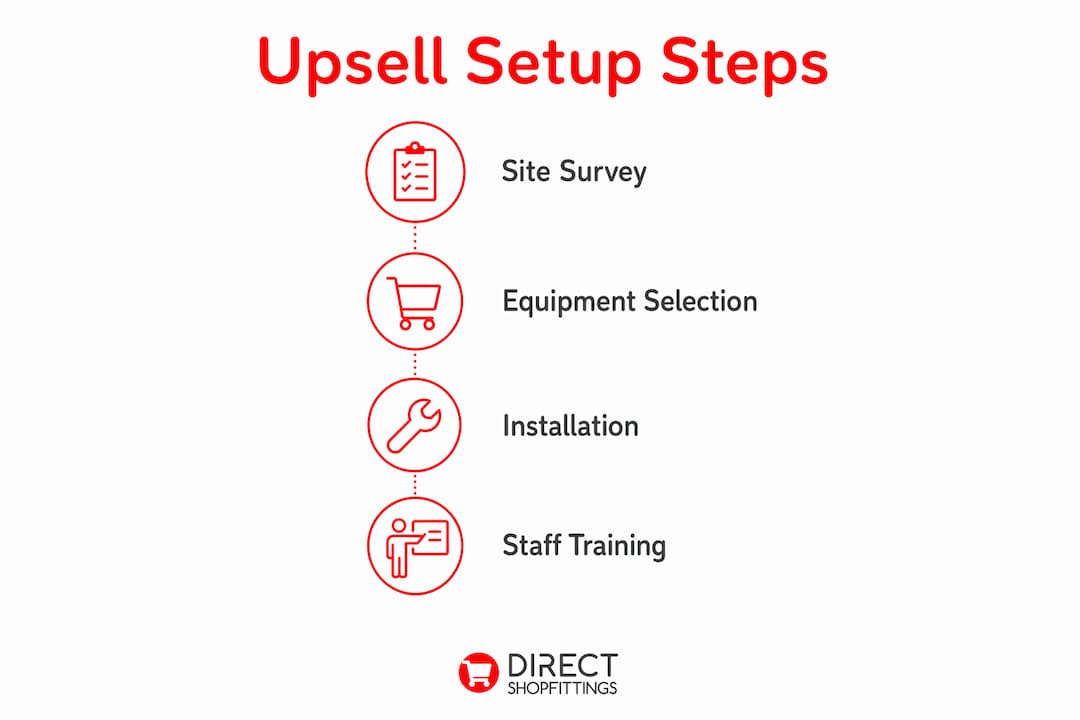
Implementation fails most often because managers skip the site survey and go straight to purchasing equipment. A structured process prevents costly mistakes.
Phase 1: Site survey. Walk your restaurant during peak service and map where customers pause, queue, and wait. These dwell points are your prime display locations. Measure reach distances for staff restocking, and identify any bottlenecks that a new unit might worsen. 68% of UK office workers have lunch breaks under 30 minutes, so speed of access is a genuine commercial constraint, not a minor detail.
Phase 2: Equipment selection. Match display types to your service model. Self-service environments need open-front refrigerated units and clearly labelled countertop stands. Staff-assisted counters benefit more from POS-integrated screens and heated display cabinets behind the service line. Review the full range of display cabinet types before committing to a specification.
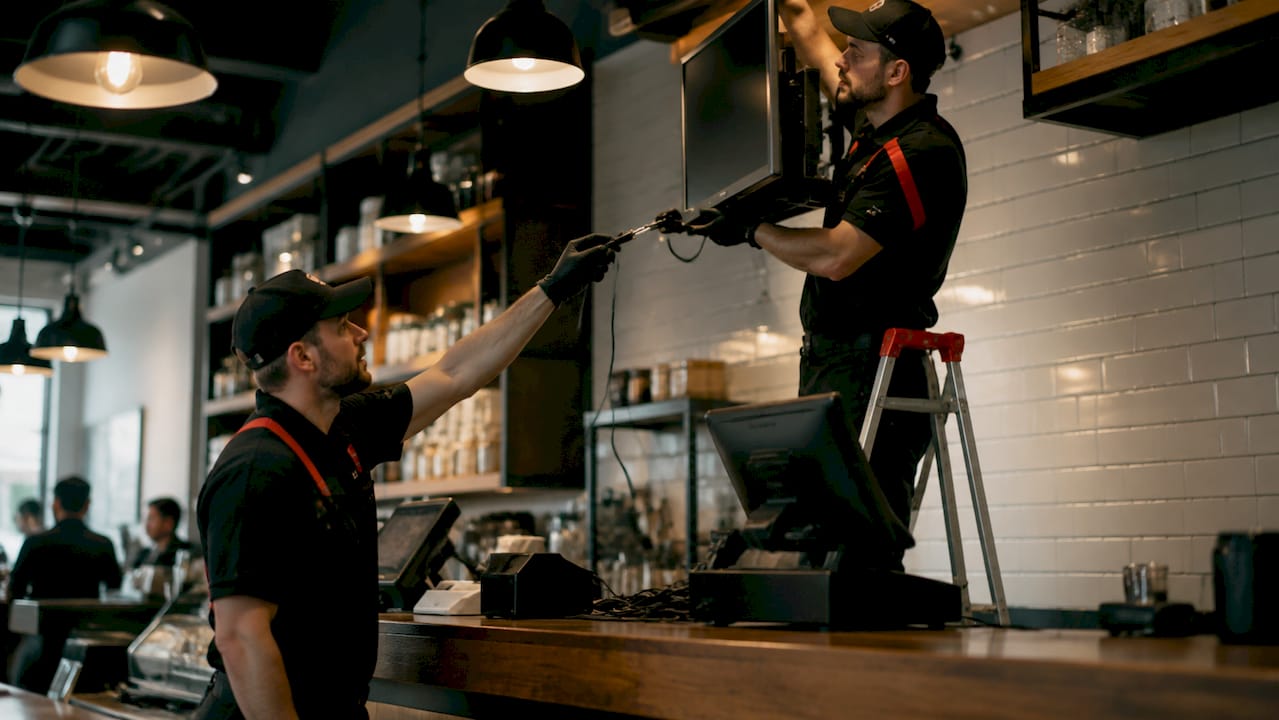
Phase 3: Installation and integration. Coordinate with your equipment supplier for installation that meets health and safety standards, including electrical certification and food hygiene compliance. Connect digital screens to your POS system to enable automated upsell prompts. Digital menu optimisation drives a 5% sales uplift, and 80% of upsells happen unplanned when content is refreshed monthly. Schedule content updates into your operational calendar from day one.
Phase 4: Staff training. Your team must understand what the displays are promoting and why. Staff who can verbally reinforce a display prompt convert at a significantly higher rate than those who ignore it.
| Phase | Key actions | Common pitfall |
|---|---|---|
| Site survey | Map dwell points, measure reach distances | Skipping peak-time observation |
| Equipment selection | Match units to service model and menu | Choosing domestic-grade screens |
| Installation | Certify electrics, integrate with POS | Delaying POS connection until after launch |
| Content creation | Write descriptive names, select hero images | Replicating the printed menu verbatim |
| Staff training | Brief team on display purpose and prompts | Treating displays as self-managing |
Pro Tip: Combine one static display zone with one animated zone per screen. One animated zone cycling every 6–10 seconds draws eye attention without overwhelming the customer. More animation than that becomes visual noise.
Common mistakes that kill upsell display performance
Most underperforming displays share the same handful of problems. Recognising them early saves significant revenue.
- Overcrowded shelves. Filling every inch of a display unit signals low value to customers. White space is a selling tool, not wasted space.
- Domestic screens in commercial settings. A domestic TV in a window display becomes invisible in British daylight. The 2,500 nits minimum is non-negotiable for any externally visible position.
- Ignoring temperature management. UK hospitality loses over £3 billion annually to food waste. Precision climate-controlled displays cut spoilage by 15% in the first year. Mismanaged refrigeration temperatures are both a food safety risk and a direct profit drain.
- Static content left unchanged for months. Customers habituate to displays they see repeatedly. Monthly content refreshes maintain the novelty effect that drives impulse purchases.
- Poor restocking access. A display that takes two staff members and five minutes to restock will not be restocked consistently. Modular display systems solve this by allowing individual sections to be removed and refilled without disrupting the whole unit.
Signs your displays are underperforming include: no visible increase in average transaction value after four weeks, staff avoiding the display area during service, and items expiring on the shelf rather than selling through. If you see any of these, audit the layout and content before assuming the product itself is the problem. Many common display errors are covered in detail in this guide to retail display mistakes that small operators frequently make.
Key takeaways
A well-executed restaurant retail upsell display setup combines commercial-grade equipment, Power Zone positioning, and monthly content refreshes to produce measurable increases in average transaction value.
| Point | Details |
|---|---|
| Use commercial-grade screens | Domestic TVs fail in UK daylight; specify 2,500 nits minimum for any visible display. |
| Apply Power Zone positioning | Place highest-margin items top-right on every display to capture the first 2–3 seconds of attention. |
| Write descriptive item names | Sensory-rich descriptions increase sales by roughly 27% compared to plain item names. |
| Refresh content monthly | 80% of upsells happen unplanned; regular updates maintain the novelty that drives impulse buying. |
| Control temperatures precisely | Precision climate control cuts food spoilage by 15%, protecting both margin and food safety compliance. |
Why most restaurant upsell displays underperform (and what I think actually fixes them)
After years of watching restaurant owners invest in display equipment and then see little change in their numbers, I have come to a firm conclusion. The hardware is rarely the problem. The content and the process around it almost always are.
Operators spend weeks selecting the right refrigerated unit or digital screen, then populate it with a direct copy of their printed menu. A digital board that replicates a laminated menu card is not a upsell tool. It is a more expensive version of something that was already not working. The shift that actually moves revenue is treating the display as a curated sales environment, not an information board.
UK customers in 2026 expect displays to be visually coherent and fast to read. The experience-driven counter with HD screens and automated pairing suggestions is no longer a premium differentiator. It is becoming the baseline expectation in any well-run café or restaurant. Operators who still run static, cluttered displays are not just missing upsell revenue. They are actively signalling to customers that the operation is behind the times.
The future I find genuinely exciting is AI-driven upsell prompts that respond to time of day, weather, and current stock levels. A screen that suggests a hot soup when it is raining outside and the kitchen has surplus stock is not science fiction. It is already available in enterprise POS platforms and will filter down to independent operators within the next two to three years. Investing in POS-integrated displays now positions you to adopt that capability without a full hardware replacement.
My practical advice: start with one well-designed display zone, measure the uplift over four weeks, then expand. Trying to overhaul every surface at once leads to inconsistent execution and makes it impossible to identify what is actually working.
— Lee
DirectShopfittings can help you build better upsell displays
Restaurant owners who want to act on this guide without spending weeks sourcing individual components will find DirectShopfittings a practical starting point.
DirectShopfittings supplies a wide range of retail display equipment suited to restaurant and foodservice environments, from countertop point of sale stands to full shopfitting packages. Their supplier network covers hard-to-find commercial-grade units, and their team is known for fast delivery and responsive support. Whether you are fitting out a new site or upgrading an existing counter, the types of display cabinets guide on their website gives a clear overview of options matched to different service models. For a broader view of what a full fit-out involves, the shopfitting explained guide covers the process from survey to installation.
FAQ
What is a restaurant retail upsell display setup?
A restaurant retail upsell display setup is the planned arrangement of physical and digital displays designed to increase average transaction value through visual merchandising at the point of sale. It includes digital menu boards, temperature-controlled units, and countertop stands.
How much brightness does a commercial display screen need?
Commercial displays need at least 2,500 nits of brightness to remain visible in daylight conditions. Domestic televisions fall well below this threshold and are ineffective in UK restaurants from april through september.
How often should upsell display content be updated?
Content should be refreshed at least once a month. Research shows that 80% of upsells happen unplanned, and regular updates maintain the novelty effect that drives impulse purchases.
Where should high-margin items be placed on a display?
High-margin items belong in the top-right position of any display, known as the Power Zone. Eye-tracking research confirms customers focus on this area within the first 2–3 seconds of viewing a screen or shelf.
Do upsell displays need to integrate with a POS system?
POS integration is not mandatory, but it significantly improves results. POS-connected screens can trigger automated pairing suggestions at the moment of payment, increasing basket size without any additional staff effort.