

A point of sale display in a café is a customer-facing screen at the checkout that shows purchases, prices, discounts, and payment options in real time. The term carries two distinct meanings that café owners regularly conflate, and that confusion costs both sales and customer trust. The primary meaning is an electronic display screen visible to the customer during a transaction. The secondary meaning refers to physical product fixtures placed near the checkout to prompt impulse purchases. Both matter, and both deserve deliberate attention.
What does point of sale display mean in a café context?
A point of sale is defined as the location where a payment transaction is completed, and the display is the customer-facing component of that transaction. In a café, this most commonly takes the form of a screen mounted on a swivel stand or a dedicated second device positioned so the customer can read it clearly while the barista or cashier processes the order. Systems such as Square, Lightspeed, and Shopify POS all support this configuration.
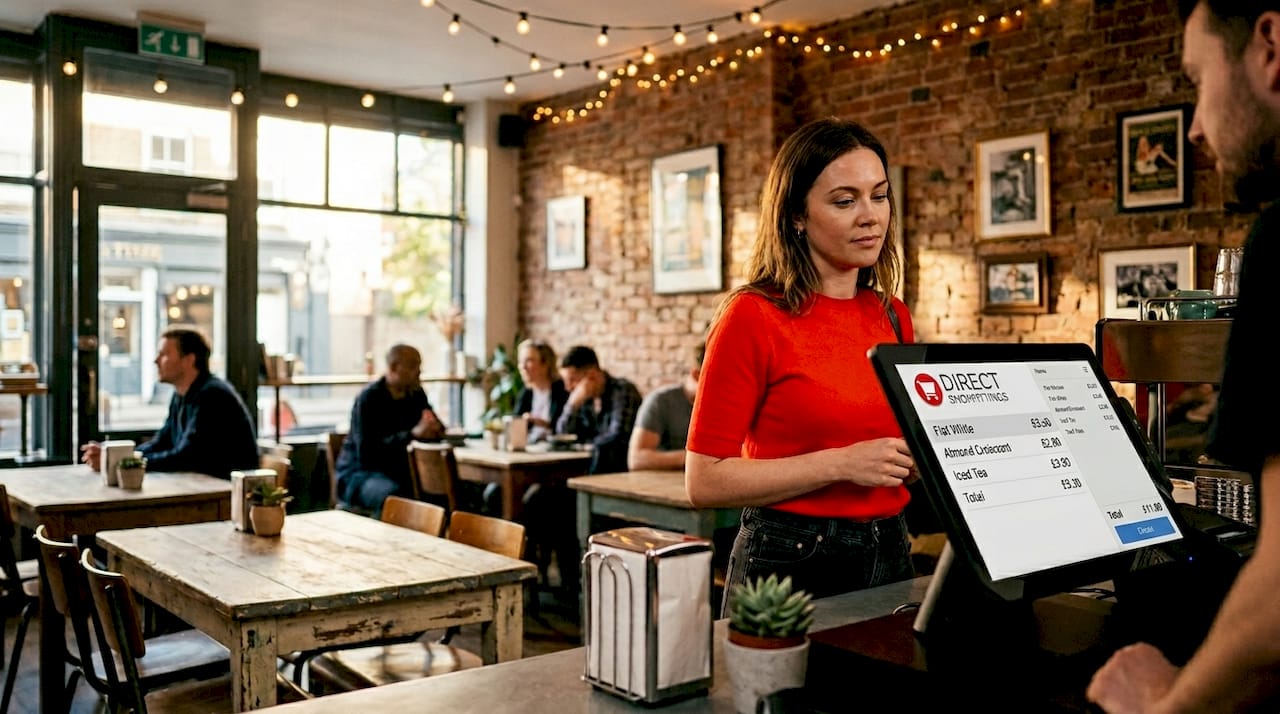
The screen serves a precise function: it mirrors the cashier’s interface so the customer can verify every line item before paying. This is not a marketing tool in the traditional sense. It is a transparency mechanism, and that distinction shapes how you should configure and position it. Many café owners assume a POS display is primarily about advertising; in practice, its core job is to confirm what the customer is about to pay.
The second meaning, physical display fixtures near the checkout, is borrowed from retail merchandising vocabulary. These are the wire baskets of chocolate bars, the shelf talkers promoting loyalty cards, and the counter stands holding travel cups. Both definitions are legitimate, but treating them as interchangeable creates operational confusion. This article addresses both clearly.
What information does a customer-facing POS screen show?
A customer-facing POS screen shows items, prices, discounts, and totals in real time as the cashier enters the order. That live feed is what separates it from a static price board. The customer watches the running total build, sees any promotional discount applied, and confirms the final amount before tapping their card or phone.
Beyond the transaction itself, modern POS displays handle several additional functions:
- Order confirmation: Each item appears as it is scanned or entered, giving the customer an immediate opportunity to flag errors.
- Discount visibility: Loyalty discounts, promotional codes, and happy hour pricing appear as separate line items rather than silent adjustments.
- Tipping options: Many café POS setups present tip percentage choices directly on the customer screen, removing the awkward verbal exchange.
- Receipt preference: The customer selects printed, digital, or no receipt without the cashier needing to ask.
- Loyalty programme prompts: Points balances and redemption options can appear at the relevant moment in the transaction flow.
POS hardware options bundle all of these functions into a single display, making it far more than a static screen. This matters operationally because each function reduces a verbal exchange between staff and customer, which shortens queue times during peak hours.
Pro Tip: Synchronise your customer display with your POS software so that price changes and promotional discounts update automatically. A screen showing a different total from the receipt is the single fastest way to generate a dispute at the till.
Hardware configurations worth considering for cafés include the Clover Station Duo, which uses a dual-screen design so both the cashier and customer have a full-size view, and tablet-based setups on swivel stands that work well in tighter counter spaces.
How does a POS screen differ from a point of purchase display?
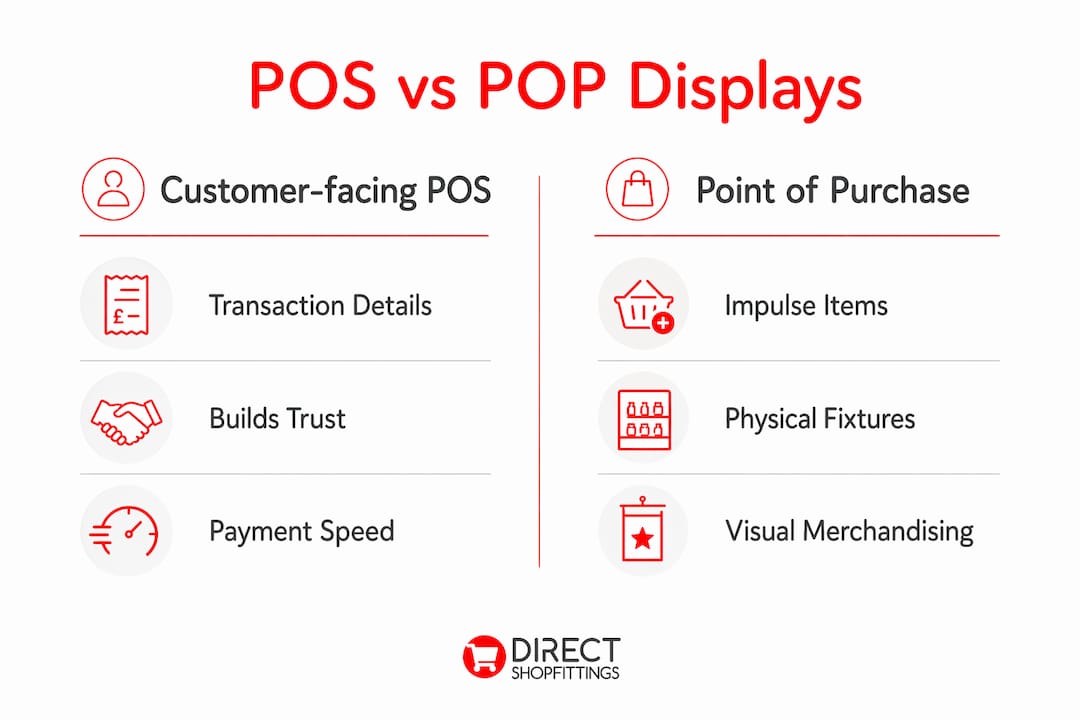
Separating POS transaction screens from POP impulse displays clarifies the entire customer journey in a café and sharpens your merchandising strategy. The two serve different decision moments. The POS screen addresses the customer who has already decided to buy and is completing payment. The point of purchase (POP) display addresses the customer who is waiting, browsing, or reaching for their wallet and can still be influenced to add one more item.
Conflating the two leads to a common mistake: cluttering the customer-facing screen with promotional content at the moment the customer needs clarity, or neglecting physical fixtures because the digital screen feels like it covers merchandising. Neither approach works well.
The table below summarises the key differences:
| Feature | Customer-facing POS screen | Point of purchase (POP) display |
|---|---|---|
| Primary purpose | Transaction transparency and payment completion | Impulse purchase promotion |
| Location | Mounted at or near the till, facing the customer | Counter, shelf, or floor fixture near the checkout |
| Content type | Live order data, totals, tipping, receipt options | Physical products, shelf talkers, promotional signage |
| Customer decision stage | Post-decision: confirming and paying | Pre-decision: browsing and considering add-ons |
| Key benefit | Reduces errors, builds trust, speeds checkout | Increases average transaction value |
A well-run café uses both deliberately. The POS screen builds trust and speeds the queue. The POP display near the counter catches the customer’s eye while they wait for their order and prompts a last-minute addition.
What are the practical benefits and challenges of POS displays in cafés?
The clearest benefit of a customer-facing display is accuracy. Mirroring the cashier’s screen reduces payment confusion and the need for rescans, which directly shortens transaction time during busy periods. A customer who can see their order building in real time is far less likely to dispute a charge after the fact.
The operational benefits extend further:
- Faster payment processing: Customers prepare their payment method while watching the total build, rather than waiting for a verbal cue.
- Reduced staff pressure: Tipping and receipt prompts handled on screen remove socially awkward moments from the interaction.
- Audit trail clarity: Both parties see the same data at the same time, which simplifies any post-transaction query.
- Upsell integration: A well-configured display can show a relevant add-on suggestion at the right moment without the cashier needing to verbalise it.
The challenges are real and worth planning for. Counter space in cafés is frequently limited, and adding a second screen or swivel terminal requires a deliberate layout decision. Software compatibility is another consideration: not every café POS system supports a fully featured customer display, so check this before purchasing hardware. Maintenance is often overlooked; a screen with a cracked surface or outdated software version undermines the trust it is supposed to build.
When selecting hardware, POS systems with customer display options designed for retail and café environments offer a practical starting point. Prioritise systems where the customer display updates in real time and supports your existing payment processor.
Pro Tip: Keep promotional content on the customer display minimal during the payment stage. One loyalty prompt or one upsell suggestion is acceptable. Three competing messages at the moment of payment slow the transaction and frustrate customers.
How can cafés optimise physical impulse displays near the checkout?
Physical impulse displays near the checkout work on a simple principle: the customer is stationary, their attention is available, and a well-placed product at the right price point converts easily. Impulse product displays at café checkouts commonly use sloping counter baskets and wire display stands to make products accessible and visually appealing without cluttering the counter.
The most effective locations in a café are:
- The counter edge nearest the till: This is where the customer stands longest and has the clearest sightline.
- The collection point for drinks: Customers waiting for their order are receptive and unhurried.
- The entrance to the queue: A floor-standing display here catches customers before they have committed their attention to the menu board.
Product selection matters as much as location. The strongest performers in café impulse displays are items priced below the psychological threshold of a second decision: individually wrapped biscuits, small confectionery, travel accessories, and loyalty card sign-up prompts. Avoid displaying items that require explanation or comparison; the impulse moment is brief.
Design principles for physical displays are straightforward. Keep each fixture to a single product category. Use clear, readable price labels. Replenish regularly because a half-empty basket signals neglect rather than popularity. Avoid stacking displays so high that they obscure sightlines to the counter or create a cluttered impression.
The synergy between physical displays and the POS screen is worth exploiting deliberately. If your POS software supports it, configure the customer display to show a prompt that matches the physical product on the counter. A customer who sees a chocolate bar in a sloping counter basket and then sees a matching prompt on the screen is receiving a consistent message at two decision points simultaneously.
Key takeaways
A café POS display serves two distinct functions: a customer-facing transaction screen that builds trust and speeds payment, and a physical merchandising fixture that drives impulse sales near the checkout.
| Point | Details |
|---|---|
| Two meanings, one term | “POS display” refers to both a customer-facing checkout screen and physical impulse product fixtures near the till. |
| Screen purpose is transparency | The customer-facing display confirms items, prices, discounts, and totals before payment, reducing disputes. |
| POP displays target a different moment | Physical impulse fixtures work before the payment decision; POS screens work during it. |
| Hardware choice affects performance | Swivel stands, dedicated second screens, and dual-screen terminals each suit different café counter configurations. |
| Synergy increases average spend | Aligning on-screen prompts with physical counter displays reinforces the same upsell message at two decision points. |
Why most cafés are only using half of what they have
I have visited a lot of café setups over the years, and the pattern I see most often is this: the owner has invested in a decent POS system, the customer-facing screen is switched on, and then absolutely nothing has been done with it beyond the default configuration. No loyalty prompt. No tipping flow. No upsell. Just a static total on a screen that nobody has thought about since installation day.
The missed opportunity on the physical side is equally common. A wire basket of mints dumped next to the till without a price label, or a promotional stand that has not been restocked in a fortnight. Neither of these is a display strategy. They are afterthoughts.
What actually works is treating the two types of display as a coordinated system rather than separate decisions. The screen handles the transaction moment with precision and builds the kind of trust that brings customers back. The physical fixtures handle the browsing moment and add incremental revenue without any staff effort. When both are configured deliberately and maintained consistently, the checkout area becomes the hardest-working square metre in the café.
The other thing most cafés miss is the common retail display mistakes that undermine even well-intentioned setups: poor sightlines, unlabelled products, and screens showing outdated promotions. Fixing those costs nothing except attention.
— Lee
How DirectShopfittings can help you set up your café displays
DirectShopfittings supplies the physical display fixtures that make the checkout area of a café work harder. From sloping counter baskets designed for impulse product display to wire stands and counter-top merchandising units, the range covers the practical needs of both small independent cafés and larger coffee shop chains.
If you are setting up or refreshing your café’s checkout area, the DirectShopfittings product range includes display fixtures suited to tight counter spaces, with competitive pricing and fast delivery backed by a strong customer service reputation. The team can also source hard-to-find items through their supplier network, which is particularly useful when you need a specific size or configuration that standard catalogues do not carry.
FAQ
What does a point of sale display mean in a café?
A point of sale display in a café refers primarily to a customer-facing screen at the checkout that shows real-time transaction details including items, prices, and totals. The term also applies to physical product fixtures near the till designed to encourage impulse purchases.
What is the difference between a POS display and a POP display?
A POS display is an electronic screen that confirms transaction details during payment, while a point of purchase (POP) display is a physical merchandising fixture that promotes products before the payment decision is made. Both are used near the checkout but serve different customer decision moments.
What information does a café POS screen typically show?
A customer-facing POS screen shows items purchased, individual prices, applied discounts, the running total, tipping options, and receipt preferences in real time. Some systems also display loyalty points balances and promotional prompts.
Do small cafés need a customer-facing POS display?
A customer-facing display reduces transaction disputes, speeds up payment, and builds customer trust regardless of café size. For high-volume periods such as the morning rush, the time saved by customers preparing payment while watching the total build is measurable.
What physical display fixtures work best near a café till?
Sloping counter baskets and wire display stands are the most practical options for café checkout areas because they keep products visible and accessible without occupying excessive counter space. Single-category displays with clear price labels consistently outperform mixed, unlabelled arrangements.